
How to Make a Printable Journal to Sell (Without Designing Every Page by Hand)
You already have the journal idea. Maybe it’s a shadow work workbook, a new moon intentions journal, or a 30-day reflection practice you walk clients through anyway. You know people would use it.
Then you open a blank document and remember everything else: writing the prompts, deciding which pages go where, formatting every page, adding writing lines, making dividers, keeping the branding consistent, and turning it all into one clean PDF. So the idea goes back on the list.
Printable journals are one of the most natural digital products for a spiritual business. They turn what you already teach into something people can use every day, and they work as paid products, lead magnets, course companions, and client resources.
This post walks through how to make a printable journal to sell, step by step: choosing a specific idea, planning the pages, writing prompts people want to answer, designing for print, and getting to a finished PDF without building every page by hand.
Why Printable Journals Work for Spiritual Businesses
A printable journal is a PDF your customer downloads and prints at home, or fills in on a tablet. For spiritual entrepreneurs, journals fit naturally because so much of your work is already reflective: intention setting, shadow work, moon cycles, gratitude, self-worth, healing, and growth.
They’re also flexible. The same journal can be:
- A paid digital product on Etsy, Payhip, Shopify, or your own site
- A lead magnet that grows your email list
- A companion workbook for a course, challenge, or program
- A client resource to use between sessions
- A bonus that adds value to a bundle or membership
Once you’ve made one, it’s easy to make the next, which is why journals work well as a product line, not just a one-off.
Step 1: Choose a Specific Journal Idea
The most common mistake is making a journal that’s for everyone. “A spiritual journal” is hard to sell. A specific journal with a clear outcome and timeframe is much easier.
A strong journal idea has three parts:
- Who it’s for: new tarot readers, people working through a breakup, coaches, empaths, beginners to shadow work
- What it helps with: confidence, letting go, setting intentions, calming anxious thoughts
- A shape or timeframe: 30 days, one moon cycle, a season, a single ritual
Some examples:
- 30 Days of Inner Growth
- New Moon Intentions: A 6-Month Journal
- Shadow Work Workbook for Beginners
- 90 Days of Calm
- The Abundance Journal
If you already have a course, a popular post, or questions clients ask you over and over, start there. Your best journal idea is usually something you already teach.
Step 2: Plan What Goes Inside
Before you write anything, decide which pages your journal needs. Most printable journals use a mix of these:
- Cover with the title, subtitle, and your brand name
- Welcome page explaining what the journal is for and how to use it
- Contents page so people can find each section
- Section divider pages to separate themes
- Affirmation pages with a set of affirmations to return to
- Prompt pages, one prompt per page with room to write
- Reflection pages with short guided questions, like “What I’m letting go of” and “What I’m inviting in”
- Gratitude pages with numbered lines
- Notes pages for anything else
- A closing page that thanks the reader and reminds them how far they’ve come
Keep your first journal focused. A shorter journal that someone actually finishes is worth more than a long one they abandon halfway through.
Step 3: Write Prompts People Want to Answer
The prompts are the product. Good design helps, but people buy a journal for what it helps them think through.
A few things that make prompts better:
- Make them specific. “What does growth look like when it’s quiet, slow, and mostly invisible?” is easier to answer than “How have you grown?”
- One question per page. Give people space to think and write.
- Mix easy and deep. Start gently, then build to the harder questions.
- Use your own voice and method. Prompts that reflect how you actually teach make the journal feel like yours, not a generic download.
- Pair prompts with affirmations. Affirmations give the reader something to come back to between writing sessions.
If you use AI to brainstorm prompts, treat that as a first draft. Read every prompt, cut the generic ones, and rewrite the rest in your own words.
Step 4: Design for Print
A printable journal has to look good on screen and print well at home. A few print-friendly choices make a big difference:
- Use light backgrounds. Dark or heavily colored pages use a lot of ink, and customers notice. Save color for small accents, borders, and the cover.
- Pick a standard size. US Letter (8.5 x 11 inches) is the most common for US buyers. A4 is standard in most other countries. Some sellers include both.
- Leave generous margins so nothing gets cut off by a home printer.
- Use real writing lines with enough space between them to write comfortably by hand.
- Keep fonts consistent and readable. One font for headings and one for body text is plenty. If you’re stuck choosing, here’s how to pair fonts in Canva.
- Add a small footer with your brand name and website, so the journal carries your name wherever it goes.
Step 5: Build the Pages and Export the PDF
This is where most journals stall. Building the pages by hand in Canva or a design program means duplicating pages, retyping prompts, adjusting spacing, and checking that every page matches. A 30-page journal can take days.
Your options:
- Build it from a template. Faster than starting blank, but you still place every prompt and page yourself.
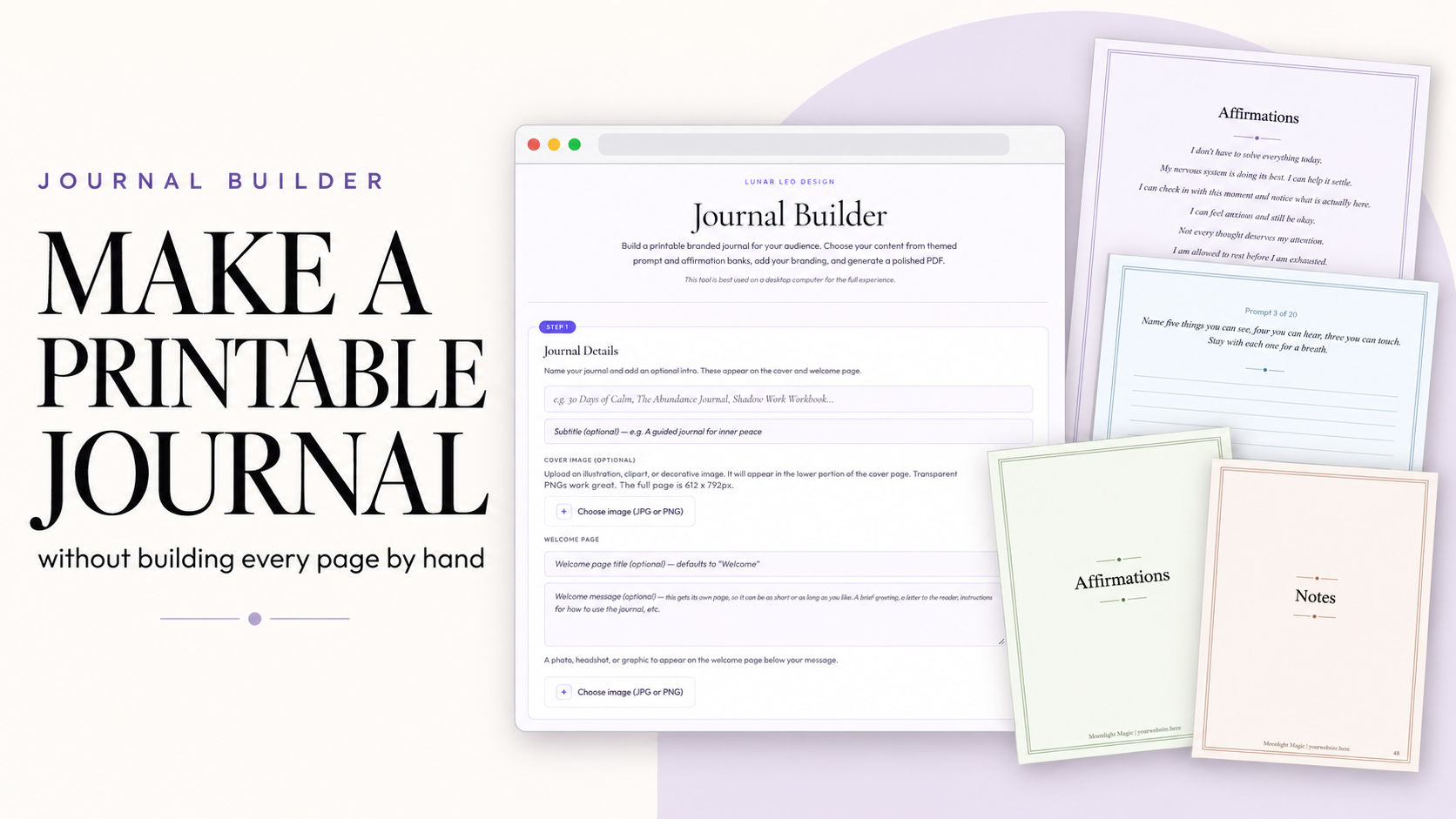
- Use a journal-building tool. The Journal Builder does the assembly for you. Add your title, branding, and colors, choose which pages you want, pick prompts and affirmations from the built-in banks or write your own, and download a finished, printable PDF. If you want to decorate it further, you can still drop the PDF into Canva and add finishing touches.
Whichever route you take, open the final PDF and check every page before you sell it. Look for typos (especially in your brand name and footer), placeholder text, and pages that print with too much ink.
Step 6: Decide Where to Sell It
Once the PDF is finished, you can deliver it however you already sell:
- Etsy, Payhip, Shopify, or your own website as an instant download
- An email opt-in through your email provider, if it’s a lead magnet
- Inside a course or membership as a bonus or companion
Include a short note with the download about printing: the paper size, that it prints best on standard printer paper, and that customers can print just the pages they need.
Common Mistakes When Making a Printable Journal
- Making it for everyone. A specific audience and outcome sell better than a general “spiritual journal.”
- Spending weeks on design before writing the prompts. The content is the product. Write first, then design.
- Using dark, ink-heavy pages. They look good on screen and frustrate people at the printer.
- Leaving placeholder text in. Check the welcome page, closing page, and footer every time.
- Generic AI prompts. If a prompt could be in any journal, it isn’t adding much to yours.
- Never shipping it. A finished, simple journal beats a perfect one that lives in your drafts.
Frequently Asked Questions
Can I sell a journal I made from a template or tool?
Usually yes, as long as the template or tool’s license allows commercial use of finished products. Always check the license. Journals made with the Journal Builder can be sold as finished PDFs under the Lunar Leo Design license.
What size should a printable journal be?
US Letter (8.5 x 11 inches) is most common for US buyers, and A4 is standard in most other countries. Offering both covers almost everyone.
How many pages should a printable journal have?
There’s no required number. Plan the pages around the journal’s purpose and timeframe, and keep your first one focused enough that people can realistically finish it.
Do I need Canva to make a printable journal?
No. You can build one in Canva or another design program, or use a tool like the Journal Builder, which creates the finished PDF for you. Canva is optional if you want to add extra decoration afterward.
Can I use AI to write journal prompts?
You can use AI to brainstorm, but review and rewrite every prompt in your own voice. Your method and perspective are what make the journal worth buying.
How long does it take to make a printable journal?
Writing the prompts usually takes the most time. Assembling the pages can take days by hand or a few minutes with a journal-building tool.
Finish the Journal
That journal you keep meaning to make doesn’t need to be perfect. It needs a clear idea, prompts in your voice, pages that print well, and a finished PDF.
Pick the idea. Write the prompts. Build the pages. Ship it.
Build Your Journal With the Journal Builder
The Journal Builder turns your prompts, affirmations, and branding into a finished, printable PDF journal in minutes, ready to sell, give away, or use with clients. You can see real sample pages and download a full sample journal on the Journal Builder page. Paid Vault members already have it in their Vault dashboard.