
How to Create a Lead Magnet Ebook for Your Spiritual Business (Without Spending a Week on It)
Every spiritual business owner knows they should have a lead magnet. A free ebook, a guide, a moon ritual PDF, something that grows the email list while they sleep.
Most never make it.
Not because they don’t have the knowledge or the desire – they do. Instead, it’s because somewhere between the idea and the finished PDF, design gets in the way: Margins. Fonts. Page numbers. Trying to make a Google Doc look professional. Three hours later, you you’re so overwhelmed you’re wondering if you should shut down your entire business and get a job – so you close the tab.
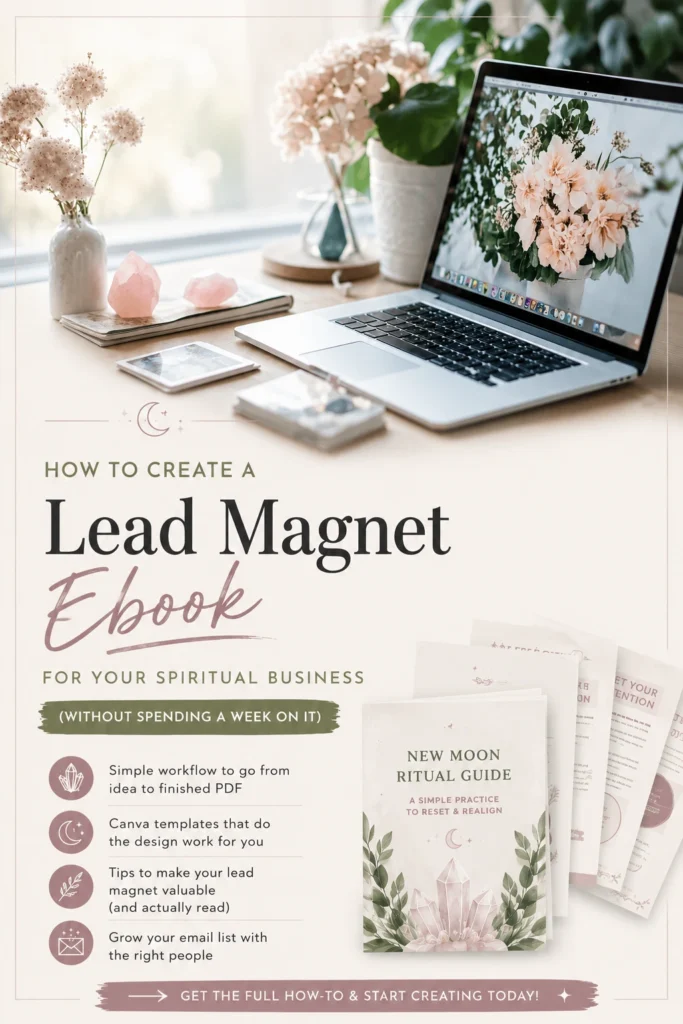
This post walks through a faster way to build a lead magnet ebook for your spiritual business, using Canva templates as the shortcut. The goal isn’t to make you a designer. It’s to get the ebook out of your head and into your funnel.
Why Lead Magnets Matter for Spiritual Businesses
Most spiritual businesses live or die on email. Algorithms shift, Instagram throttles your reach, Etsy changes its search. Your email list is the only audience you actually own.
A good lead magnet does three things at once:
- Grows your list with people who already trust your expertise
- Sorts the curious from the committed (the people who download a “crystal pairing guide” are your future customers)
- Gives you something to deliver beyond a 10% off coupon
The problem is that ebooks have a higher design bar than most other content: A messy Instagram post feels forgivable. A messy ebook makes people question whether you’re the real deal.
This is why you need templates: to do the heavy lifting, so you don’t have to.
What Makes a Canva Ebook Template Worth Using
Not all Canva templates are equal. A lot of free ones online look the part in the preview but fall apart the moment you try to customize them.
For a spiritual business, a useful ebook template has:
- A cover layout that looks like a real product, not a school report
- 6-12 inner page layouts you can mix and match
- Editable colors and fonts that don’t break when you change them
- Space for your own images and creativity
- A consistent aesthetic that fits a crystal, witchy, or lunar brand
That last point is the one most generic Canva templates miss: the ebook needs to feel like it belongs to your shop. If you have to fight the design to make it match your brand, you’ve lost most of the time the template was supposed to save.
A Simple Workflow for Building Your Lead Magnet
Here’s a workflow that gets you from idea to finished PDF in an afternoon (yes, really!):
Step 1: Pick a topic people are already asking about. The best lead magnets answer a question your customers already have. A crystal pairing guide. A beginner’s intention-setting workbook. A new moon ritual PDF. Look at your DMs, your shop reviews, and your most-asked questions. Pick one.
Step 2: Outline before you open Canva. Three to seven pages is plenty for a lead magnet: cover, intro, one to four content pages, closing page with your offer. Write the outline in a doc first so you’re not designing and writing at the same time. Short is good – especially for a lead magnet. You want them to get a quick win that they’ll actually DO right then – not put off and never pick back up.
Step 3: Open the template and replace, don’t rebuild. Drop your text into the existing layouts. Swap the placeholder colors for your brand colors. Replace stock images with your own photos or niche-appropriate stock. Resist the urge to redesign anything: this isn’t the time for a huge overhaul.
Step 4: Add one signature element. One thing that makes it yours. A moon phase along the bottom of each page, a sigil on the cover, a specific color combination. Small touches turn a template into a branded asset.
Step 5: Export and deliver. Download as PDF, upload to your email service provider, set up the delivery automation. Done.
The whole process takes 2-4 hours once you have the template. Without one, the same project takes most people a week – and may not even look as good.
What to Avoid
A few mistakes that can tank lead magnet conversions:
- Making it too long. A 40-page ebook isn’t more valuable than a 10-page one: it’s more intimidating. Most people skim a lead magnet once and never open it again. Make it short enough that they actually finish it.
- Forgetting the next step. The last page should point somewhere: your shop, a product, a paid offer, a follow-up email sequence. A lead magnet without a next step is just a free download.
- Treating it as one-and-done. Lead magnets get refreshed. The first version doesn’t have to be perfect because you’ll update it in six months anyway.
- Designing it before you write it. Writing in Canva is a lot of work. Instead, write first, design second.
Where Templates Fit In
The fastest way to skip the design phase entirely is to start with templates built for spiritual businesses. Inside Lunar Leo Design, members get Canva ebook templates designed for crystal shops, witchy creators, and metaphysical brands. Editable colors, mixable layouts, an aesthetic that fits the niche.
You can see what’s inside the LLD library here.
The templates aren’t the lead magnet: your expertise is. The templates just remove the part that stops most people from finishing.
Frequently Asked Questions
What should my first lead magnet be about? Pick the question you answer most often. If customers keep asking which crystals pair with rose quartz, make a pairing guide. If they ask how to start a moon practice, make a beginner guide. The best lead magnets are pre-validated by the questions you’re already getting.
How long should a lead magnet ebook be? Eight to fifteen pages is the sweet spot for most spiritual businesses. Long enough to feel substantial, short enough to actually be read. Cover, intro, content, closing CTA.
Can I sell my lead magnet later as a paid product? Yes, and many do. A free 10-page version can become a paid 30-page version with workbook pages, extra content, and printables. The free one builds the list, the paid one monetizes it.
Do I need design skills to use a Canva ebook template? Nope! If you can drag and drop, change text, and click a color, you can customize a Canva template. The skill is in picking a template that already fits your aesthetic, not in designing one from scratch.
What’s the best way to deliver a lead magnet ebook? Through your email service provider, automatically, in exchange for an email signup. Tools like ConvertKit, Flodesk, and MailerLite all handle this. Sending it manually means you’ll stop sending it after week two.
The Real Bottleneck
Most spiritual business owners don’t have a knowledge problem: they have a finishing problem.
The lead magnet sits half-done in a Canva file or a Google Doc for months. The email list doesn’t grow. The audience never finds the path from “follower” to “customer.”
Templates exist because finishing matters more than originality. A finished, branded, useful ebook in your funnel beats a perfect one that never ships. Every time.
Pick a topic. Open a template. Write the words. Spruce it up with colors and images that fit your vibe. Ship it.